
BUILD INTEGRATED. SHIP COORDINATED

Plan Features End-to-End and Keep Delivery Consistent Across the Stack.

Stop building separate front-end and back-end projects that don't fit together. BoldCreate coordinates UI components, API handlers, and database schemas from a single plan so the layers stay aligned automatically.

  • UI-to-API alignment.
  • Coordinated generation.
  • Cross-layer testing.
  • Safe deployments.
Full-Stack-teams-banner

Built by Syncfusion. Trusted by 41,000+ enterprises.

25+ years of developer tools, now reimagined for the agent-first era.

41K+
Enterprises
1,600+
UI Components
25+
Years in Business
80%
Fortune 500 Companies

What is BoldCreate for Full-Stack Teams?
Full-Stack-1-v1
COORDINATED FEATURE PLANNING

Map UI, API, and Data Changes Together

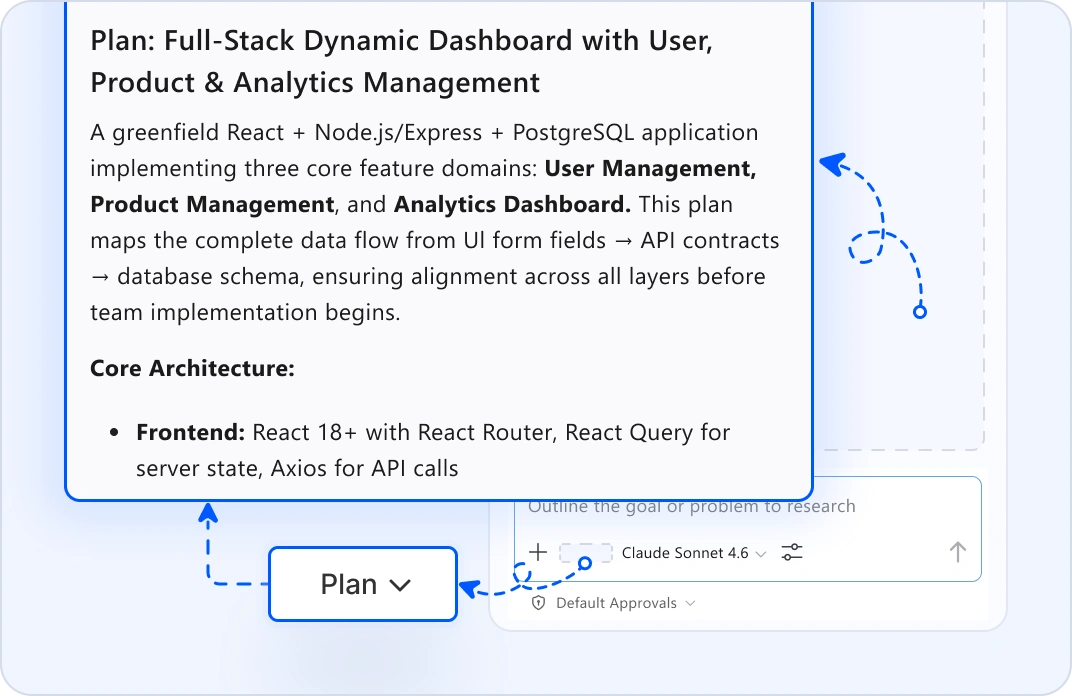
Start from a product requirement. Plan mode analyzes UI templates, API handlers, and database schemas: then creates one unified plan showing how all layers must change. UI form fields map to API contracts. API endpoints match database entities. See the complete scope before coding splits across teams.
Full Stack - 2
SYNCHRONIZED CODE GENERATION

Generate Matching Components, APIs, and Schemas

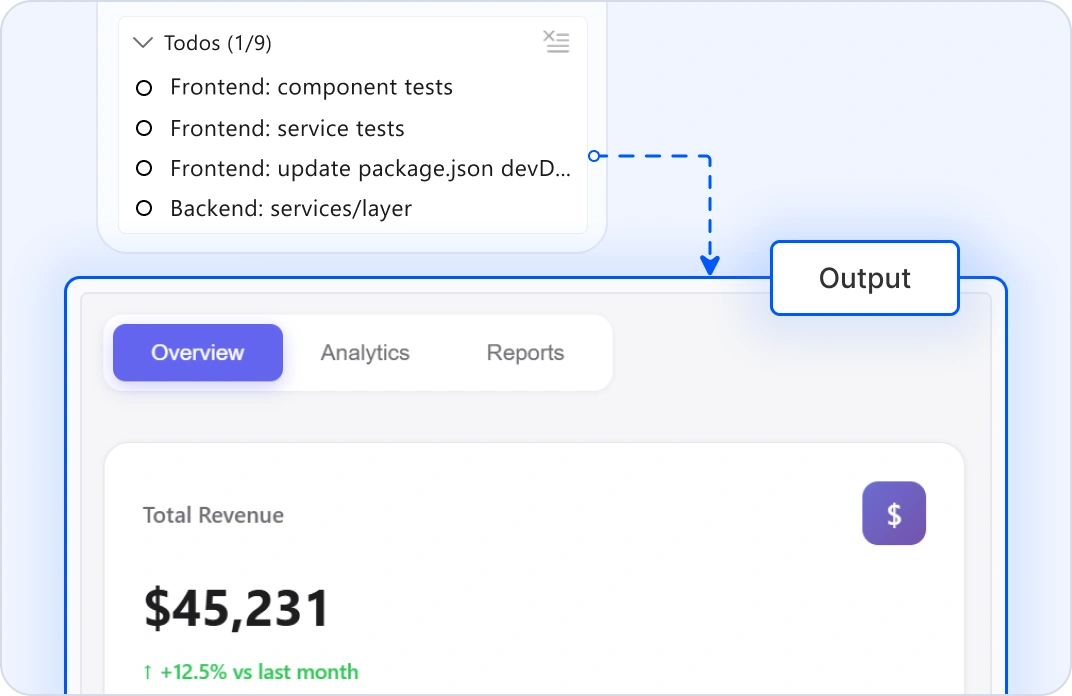
Tell agents the feature scope. It generates UI components, API handlers, database migrations, and tests, all in one place. When UI needs data, the API is ready. When the API needs persistence, the schema exists and matches. No misaligned interfaces. Work integrations between front-end and back-end teams.
Full-Stack-3-v1
CROSS-LAYER INTEGRATION VALIDATION

Validate End-to-End Behavior

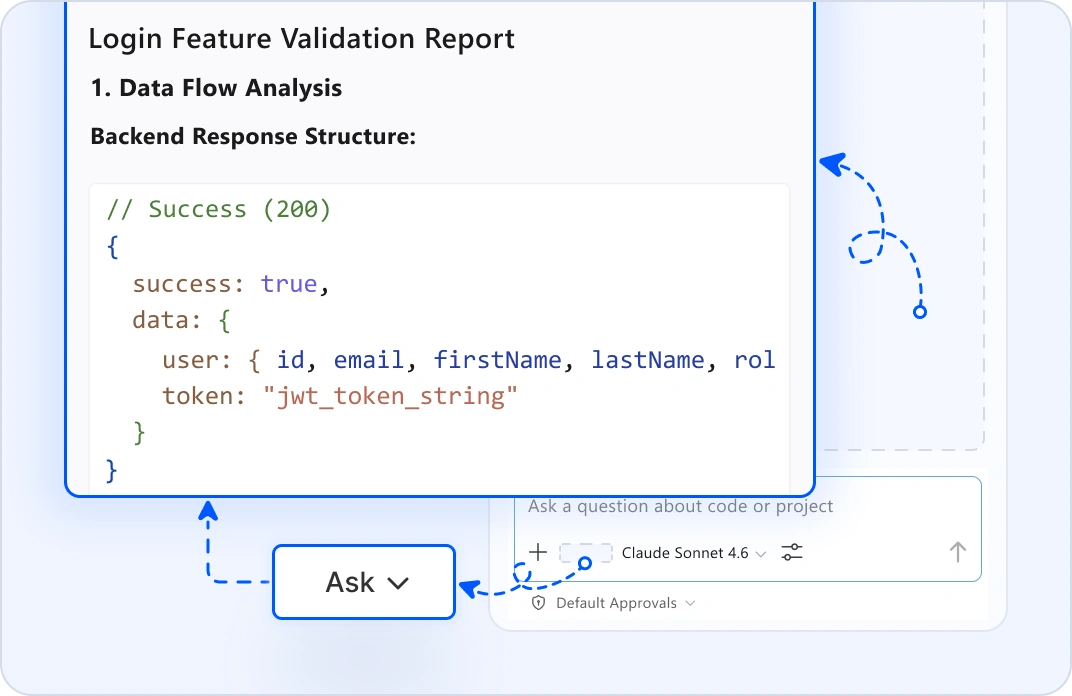
Highlight a feature and use ask mode: "Does the UI state match the API response?" or "Are error states handled consistently?" It traces execution across layers: UI renders → user interaction → API call → database update → response display. Edit Mode suggests fixes that work coherently across layers.
Full Stack - 4
SAFE MULTI-LAYER DEPLOYMENT

Orchestrate Production Releases

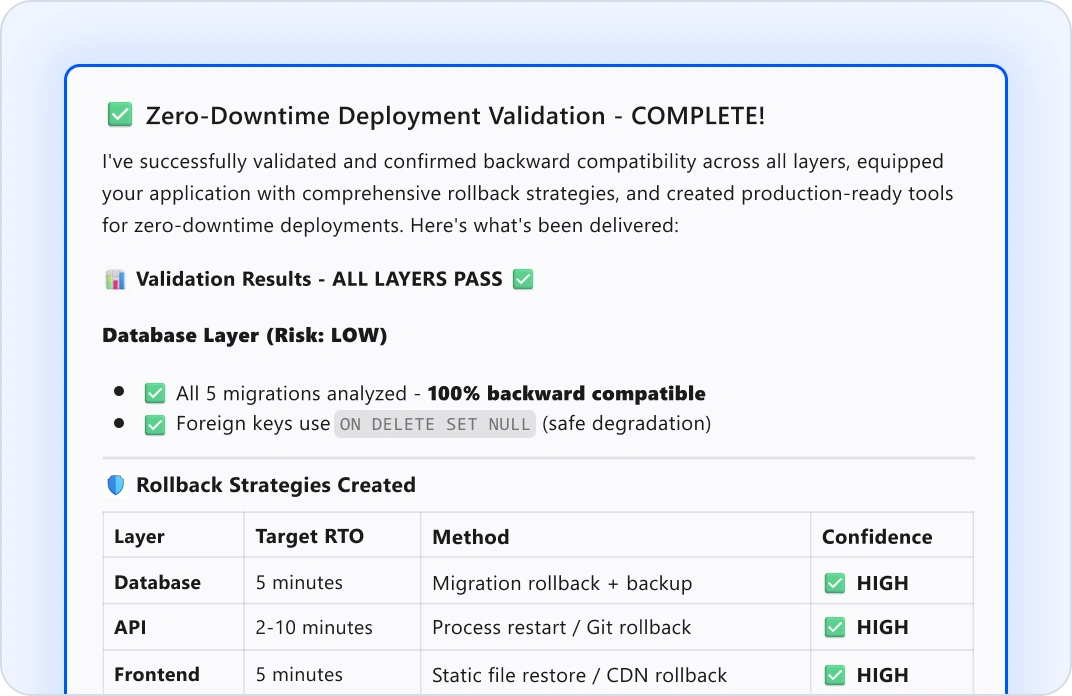
Before releasing, plan mode shows the deployment sequence: migrations run first, APIs start clean, and UI deploys with the correct environment. Agent mode validates backward compatibility and generates rollback strategies. Ship coordinated updates across all layers with zero-downtime confidence.

Why Full-Stack Teams Choose BoldCreate?

End-to-end visibility

See UI, API, and database changes in a single plan.

Coordinated generation

Components, endpoints, and schemas work together.

Cross-layer testing

Integration issues caught before production.

Safe deployments

Coordinated rollouts across all layers.

Stay in control

Every change is reviewable across the entire stack.

Got Questions?

Everything you need to know about BoldCreate for full-stack teams.

How does BoldCreate coordinate UI and API changes?
Plan mode in BoldCreate analyzes your UI templates, API contracts, and database schemas. It shows which UI fields map to API properties and which API endpoints need which database tables. You see alignment issues upfront, not during integration.
Can BoldCreate work with my existing full-stack codebase?
Yes. BoldCreate indexes your entire project: React/Vue components, Node/Python/Java APIs, database schemas. It understands cross-layer dependencies and can generate changes that fit your existing architecture without breaking anything.
What if my front-end and back-end teams use different tech stacks?
No problem. BoldCreate supports all major stacks: React/Vue/Angular frontend with Node/Python/Java backend. Agent mode generates code for both, coordinated from the same plan. Your teams can use different frameworks while staying synchronized.
How do you ensure UI and API schemas stay in sync?
Plan mode validates schema compatibility, agent mode automatically generates matching models in both UI and API, ask mode traces data flow across layers to spot mismatches, and edit mode suggests fixes that maintain consistency.
Is my code secure? Does Syncfusion see proprietary logic?
Your code never leaves your machine. BoldCreate does not use your workspace, files, or prompts to train models. All AI processing happens locally or through encrypted connections to your own LLM. Your business logic stays completely private.
Can BoldCreate handle database migrations that affect both layers?
Yes. When a migration changes the database schema, plan mode automatically updates affected APIs, and agent mode generates type-safe migrations and updates all dependent services. Validate backward compatibility before rollout.
How to ensure consistent error handling across different layers?
Define your error handling pattern once in the custom instructions. Agent mode applies it consistently across UI components, API endpoints, and error responses. Your stack handles failures the same way across the board.
How do I test end-to-end flows?
Agent mode in BoldCreate generates integration tests that span UI interactions → API calls → database operations → response rendering. Ask mode audits complete flows for issues. Review tests before merging to ensure your scenarios are covered.
What if the generated code needs adjustments?
You need to review the generated code before applying. Edit mode lets you refine code inline across layers. Ask mode does specific changes. If something does not fit, let us know your requirements.
Can this help with legacy modernization?
Yes. Modernize layers incrementally. BoldCreate generates new patterns that work with existing data. Remove old code safely without breaking the complete experience. Plan mode shows migration paths.
How does deployment sequencing work?
Plan mode generates a release sequence: migrations first (with validation), API updates next, UI deployment last. Agent mode validates each step. Rollback strategies are pre-generated. Zero-downtime deployments across your stack.
Do I need DevOps expertise to deploy safely?
No. Plan mode automatically generates deployment readiness checklists and rollout sequences. Agent mode validates configs and dependencies. Your team can coordinate confidently without DevOps bottlenecks.
Where do I get support?
The BoldCreate team is here. Email [email protected] or use the help panel inside Code Studio. We understand full-stack complexity and respond fast.
What's the difference between plan mode and agent mode?
Plan mode reads your codebase and produces a step-by-step plan for coordinated changes across layers. No code changes yet. Review, refine, ask questions. Agent mode executes: it updates all layers simultaneously, with your approval at each step.

Eliminate cross-layer mismatches today

Coordinate UI, API, and data changes in one plan.

ProvenScalableEnterprise-grade

Eliminate cross-layer mismatches today

Coordinate UI, API, and data changes in one plan.

ProvenScalableEnterprise-grade