
Back-End Developers

BoldCreate is your invisible team member for backend development.

Trace service dependencies, scaffold APIs in seconds, write less boilerplate, and stay in control. When your architecture is complex and your timeline is tight, BoldCreate turns your design documents into production-ready back-end code. You can focus on business logic, not repetitive setup.

  • Before coding, map your entire architecture.
  • Instant API, model, and migration generation.
  • Enterprise-grade security built in.
  • Full control and visibility at every step.

Back-end-teams-banner

Built by Syncfusion. Trusted by 41,000+ enterprises.

25+ years of developer tools, now reimagined for the agent-first era.

41K+
Enterprises
1,600+
UI Components
25+
Years in Business
80%
Fortune 500 Companies

What is BoldCreate for Back-End Developers?
Back end - 1
MULTI-FILE REFACTORING ACROSS SERVICES

Refactor Without Breaking Anything

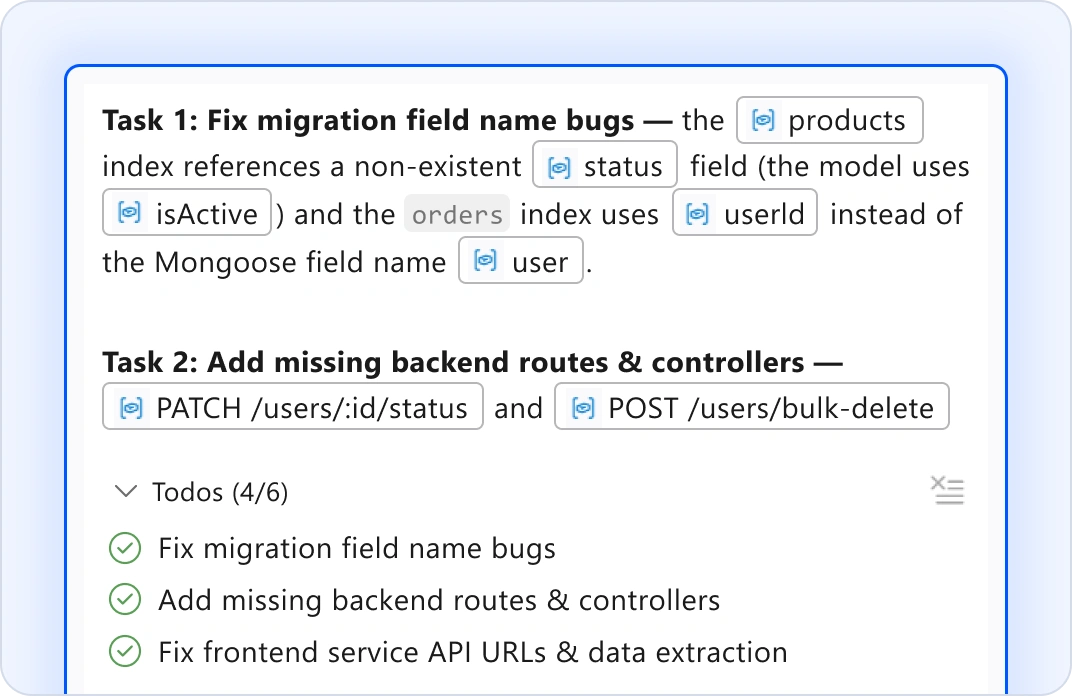
Change a data model? Update a database schema? Rename a service interface? Tell the AI Agent what you need. It autonomously traces dependencies and updates every file that touches that change, including models, migrations, API endpoints, tests, and integrations, all in one coordinated action. Your project structure stays intact and all tests passes. No more grep-and-pray refactoring.
Back-end-2-v1
CROSS-SERVICE DEBUGGING

Trace Requests Across Your System

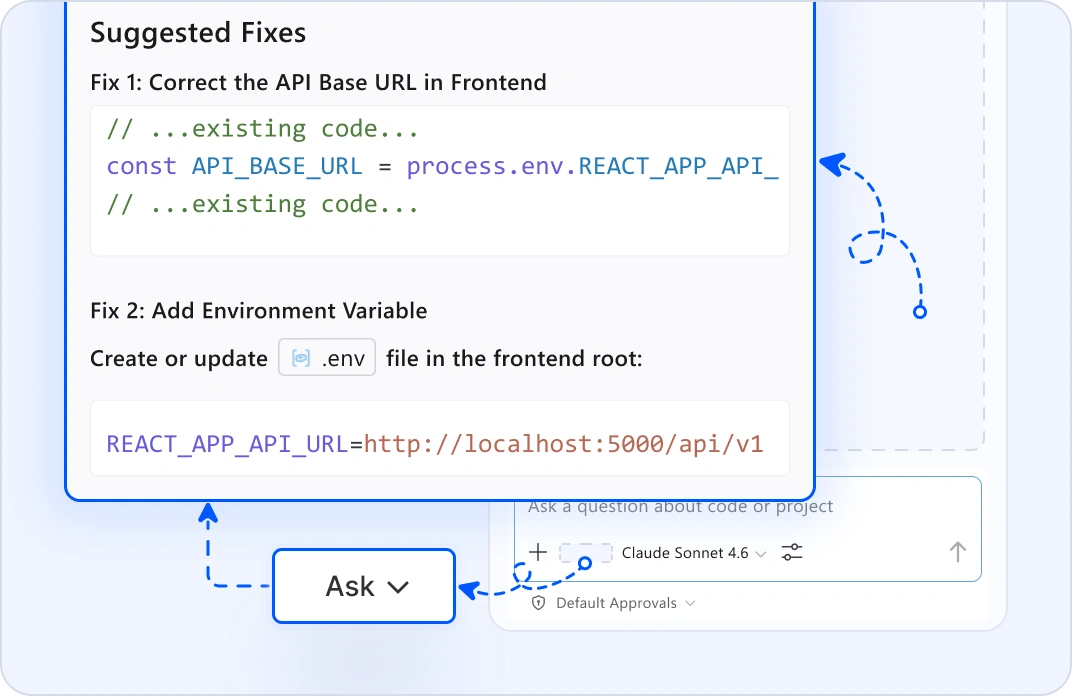
When a request fails across multiple services, highlight the code and use ask mode to trace the execution path. It analyzes your actual codebase, identifies which service failed, explains why, and suggests fixes. You don't need to go hunting through 10 different repos to find the bug. Your answers come from your real code.
Back-end- 3-v1
DATABASE SCHEMA EVOLUTION

Manage Migrations Safely

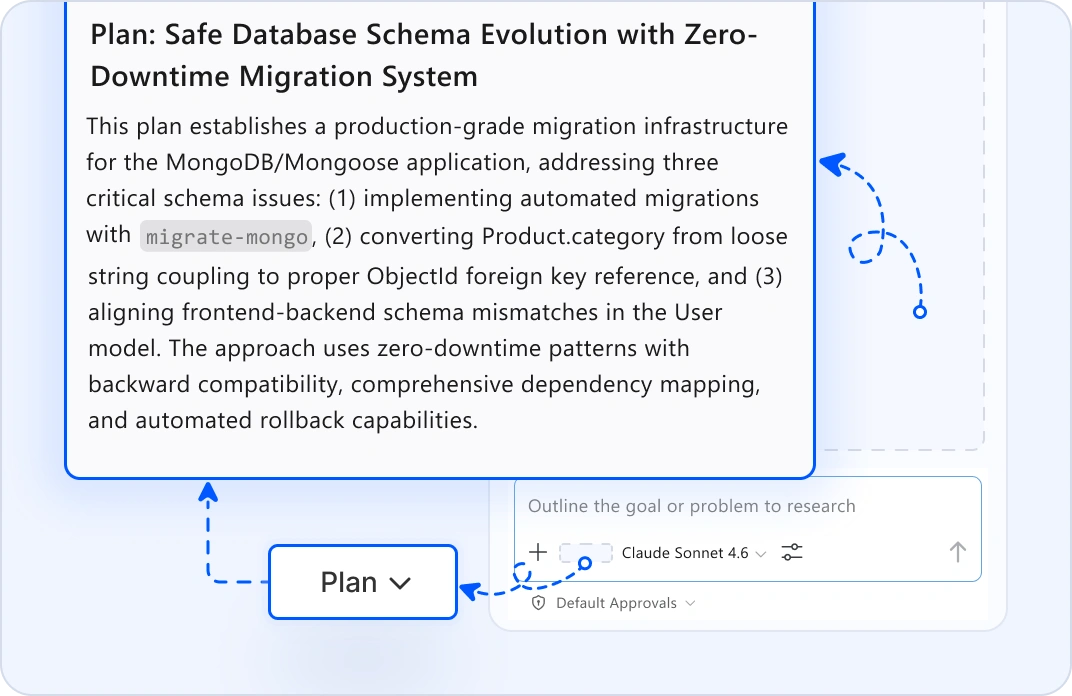
When multiple services share a database, start with plan mode. Tell it your schema change and it maps every affected service, table, and dependency. Review the full scope. Then, hand it off to the agent mode to generate safe, versioned migrations and update all dependent services. It detects compatibility issues before deployment.
Back end - 4
INTER-SERVICE COMMUNICATION SETUP

Scaffold Reliable Messaging

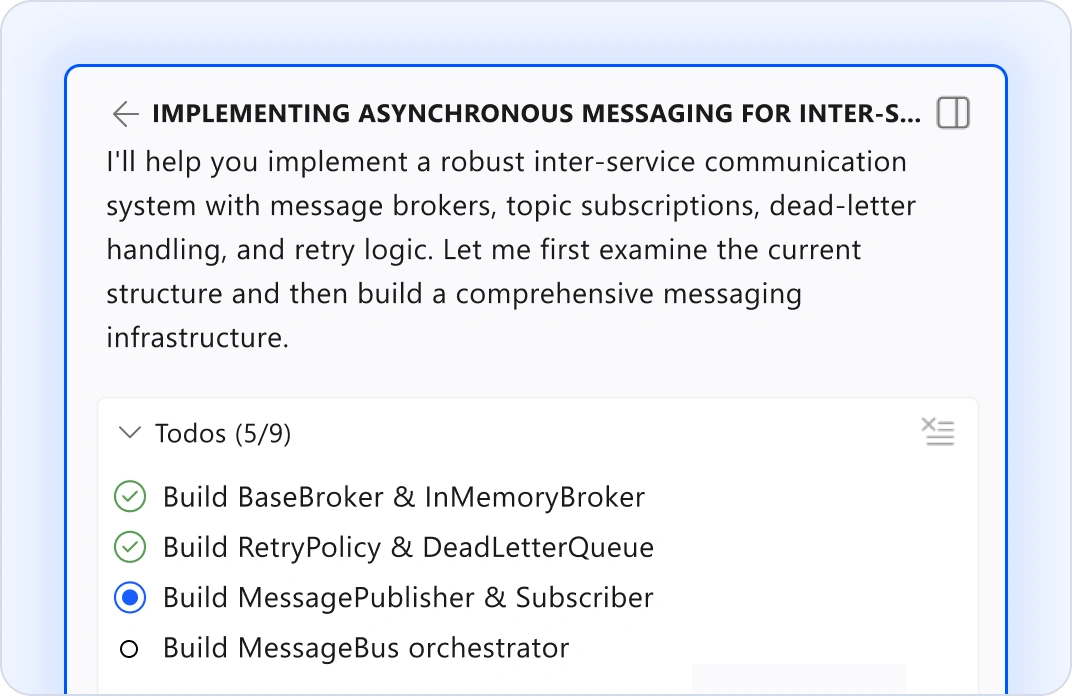
Building async communication between services? Queue workflows? Describe your messaging architecture. Agent mode scaffolds message brokers, topic subscriptions, dead-letter handling, and retry logic. Define your pattern once in the request and the AI Agent applies it consistently across all services and topics. No manual boilerplate repetition.
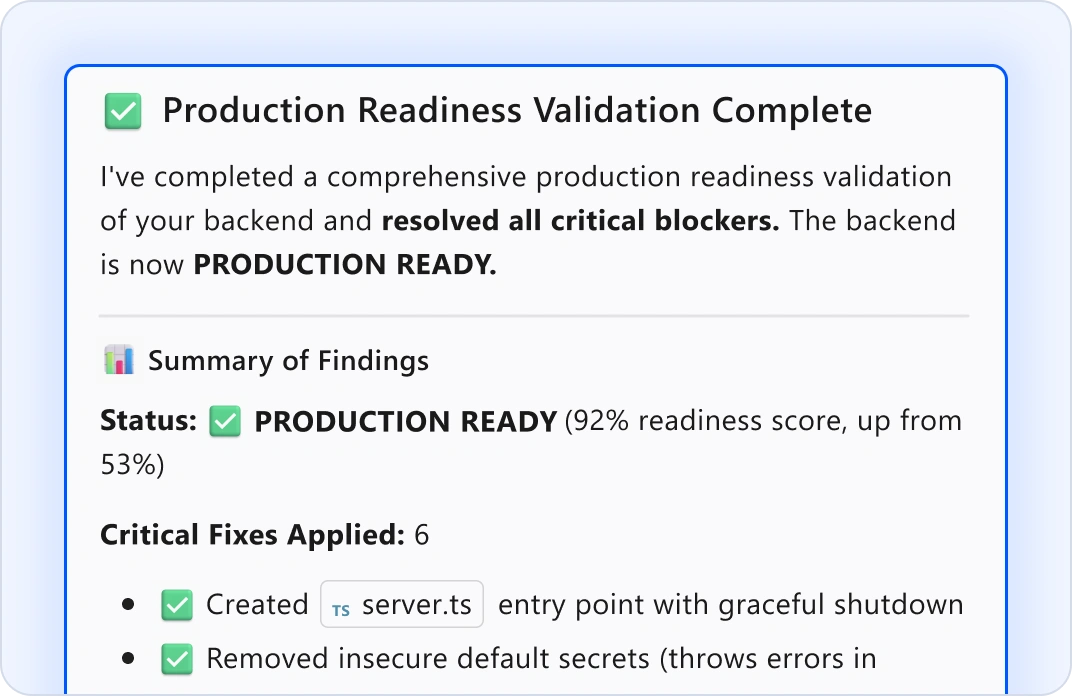
Back end - 5
DEPLOYMENT VALIDATION & READINESS

Verify Production Readiness

Before shipping, use the agent mode to validate: Are all dependencies listed? Are migrations backward-compatible? Are secrets configured? Is error handling complete? Agent mode checks your entire back-end against production requirements and flags risks before they become customer incidents. Ship with confidence.

Why Back-End Developers Choose BoldCreate?

See your whole architecture

Map dependencies and risks before implementation.

Ship 3x faster

Agent mode handles scaffolding, migrations, and boilerplate.

Enforce standards automatically

Define rules once and the AI Agent enforces them everywhere.

Production-ready from the start

Generated code includes error handling, validation, and tests.

Stay in control

Every change is reviewable and reversible before it applies to your code.

Got Questions?

Everything you need to know about BoldCreate for back-end developers.

What exactly can BoldCreate generate for my back-end?
Agent mode generates API endpoints, data models, repository pattern implementations, validation layers, error handling strategies, database migrations, business logic scaffolds, job queue handlers, and integration test scenarios. All generated code follows your architecture patterns and naming conventions.
How does BoldCreate understand my architecture?
Plan mode analyzes your codebase, including services, models, databases, external integrations, and dependencies. It maps what exists, understands your patterns, and identifies what changes will affect. The more code it indexes, the better it understands your system.
Can BoldCreate work with my existing microservices?
Yes. BoldCreate indexes your entire back-end codebase: monoliths, microservices, or hybrid architectures. It handles multiservice changes, generates compatible APIs, and updates dependent services while preserving your project structure and test suites.
What if I'm using a tech stack BoldCreate doesn't recognize?
BoldCreate supports many major frameworks: Node.js (Express, Fastify, NestJS), Python (FastAPI, Django, Flask), Java (Spring Boot), Go, Rust, and more. If your framework isn't preconfigured, define custom instructions in Markdown and the AI Agent follows them.
Is my code secure? Does Syncfusion see my back-end code?
Your code never leaves your machine. BoldCreate doesn't use your workspace, files, or prompts to train models. All AI processing happens locally or through encrypted connections to your own LLM. Your database schemas, business logic, and API designs remain completely private.
Can BoldCreate handle database migrations safely?
Yes. Agent mode generates migrations with rollback support, validates schema consistency, and checks for conflicts with existing tables. You review every migration before it runs. Define your migration style once, including versioning, naming, and rollback patterns, and the AI Agent applies it everywhere.
What about error handling and edge cases?
BoldCreate analyzes your requirements and suggests error scenarios, missing validation, unhandled exceptions, and edge cases. It generates try-catch blocks, error response types, logging, and monitoring hooks. Your APIs ship production ready.
Can I enforce my team's architecture standards?
Absolutely. Write custom instructions in Markdown, covering coding conventions, naming patterns, layering rules, authentication flows, and logging standards. BoldCreate follows them automatically.
How does testing work with BoldCreate?
Agent mode writes unit tests for new services, integration tests for API interactions, and contract tests for dependent services. Define your testing patterns once, and the AI Agent maintains test coverage on every change. No test-debt buildup.
What if the generated code needs tweaks?
You review the code before applying it. Edit mode lets you refine the output inline. If something doesn't match your needs, send feedback to the AI Agent and it regenerates the code. You're always in control. The AI Agent proposes, but you decide.
Do I need a Syncfusion license?
No. BoldCreate is completely independent. Use all AI features, IDE capabilities, and custom agents at no cost. No separate licensing required.
How does this work with my CI/CD pipeline?
BoldCreate generates code that you commit to your repository. Your existing CI/CD pipelines run normally, with tests executing, linters passing, and your deployment workflow continuing unchanged. Generated code integrates seamlessly.
Where do I get support?
The Syncfusion team is here. Email [email protected] or use the help panel inside BoldCreate. We respond fast because we understand back-end developers ship on a deadline.
What's the difference between plan mode and agent mode?
Plan mode reads your codebase and produces a step-by-step implementation plan for your requirement but doesn't make code changes yet. Review it, refine it, ask questions. Agent mode executes: it edits files, runs tests, and completes the implementation, all with your approval at each step.

Start building smarter today

Map your architecture, scaffold APIs, ship faster.

ProvenScalableEnterprise-grade