
Front-End Teams

Build Front-End Pages Faster Without Manual Translation Work.

Stop translating designs into code by hand. BoldCreate turns visual mockups into production-ready, responsive components while your team focuses on design excellence, not scaffolding.

  • Design to code in minutes.
  • Responsive automatically.
  • WCAG compliant.
  • Component consistency.
Front-end-teams-banner

Built by Syncfusion. Trusted by 41,000+ enterprises.

25+ years of developer tools, now reimagined for the agent first era.

41K+
Enterprises
1,600+
UI Components
25+
Years in Business
80%
Fortune 500 Companies

What is BoldCreate for Front-End Teams?
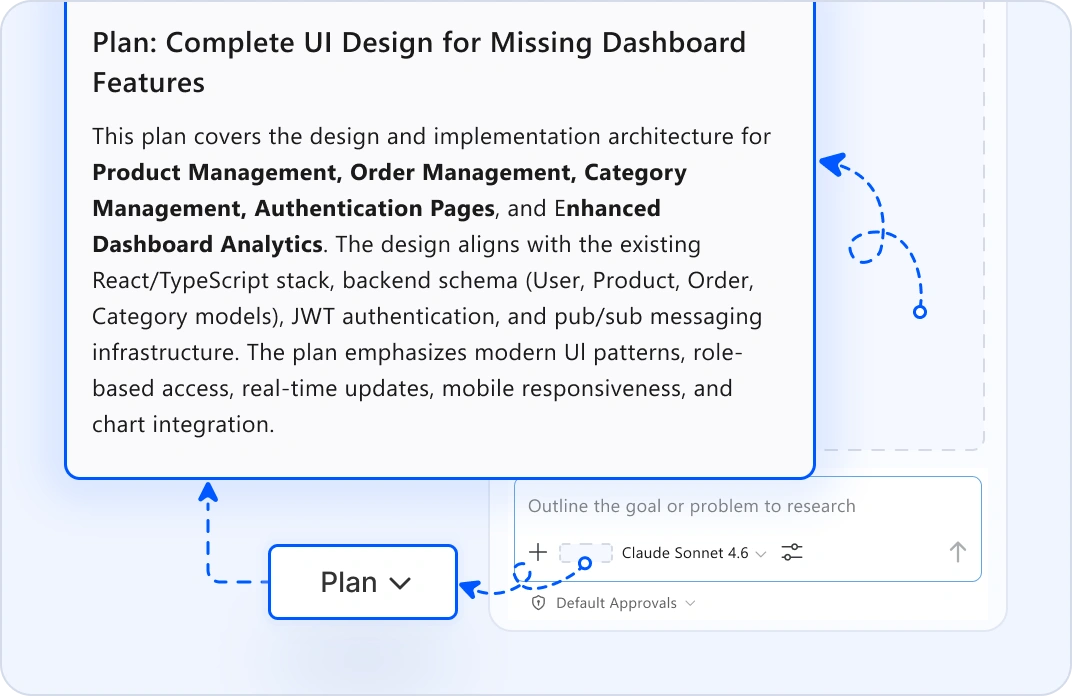
Design planning
Plan UI from requirements

Automated Design Planning

Describe your UI requirements: features, user flows, data needs. A custom AI Agent generates a design plan with the component structure, layout hierarchy, and interaction flows. Review it before design or coding starts.
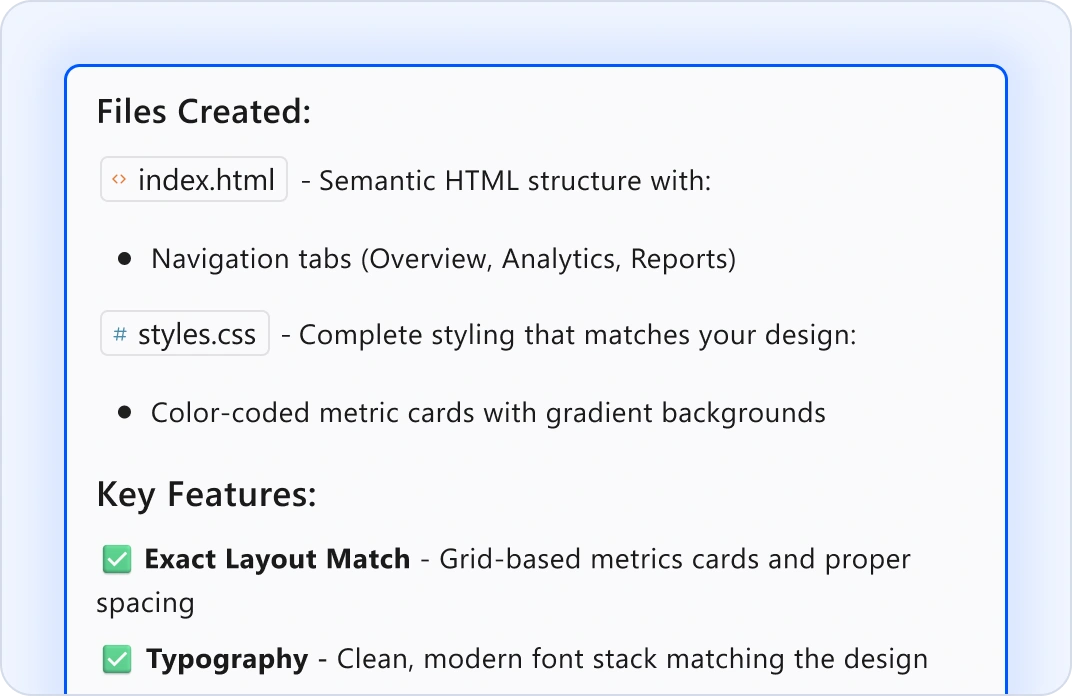
Design to code
Design-to-code translation

Convert Mockups Into Code

Upload Figma frames or screenshots. The BoldCreate AI Agent analyzes the design and generates clean, semantic HTML and CSS that match the layout, spacing, and typography.
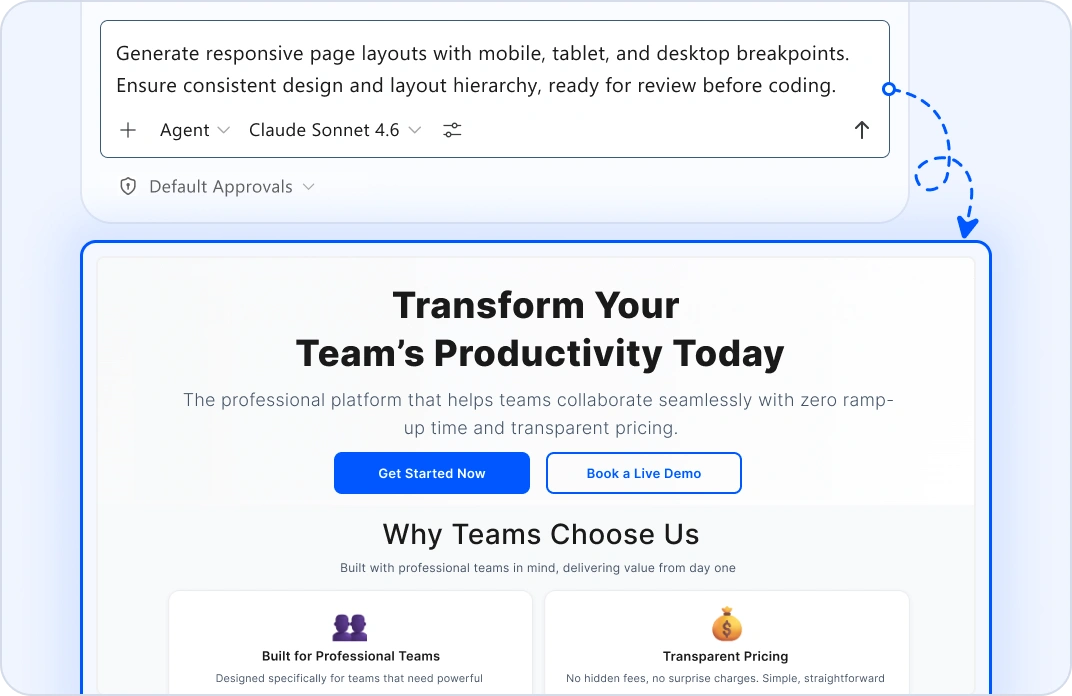
Responsive scaffolding
Generate responsive pages

Automatic Responsive Scaffolding

Describe what you need. Agent mode generates complete page layouts with mobile, tablet, and desktop breakpoints ready for review.
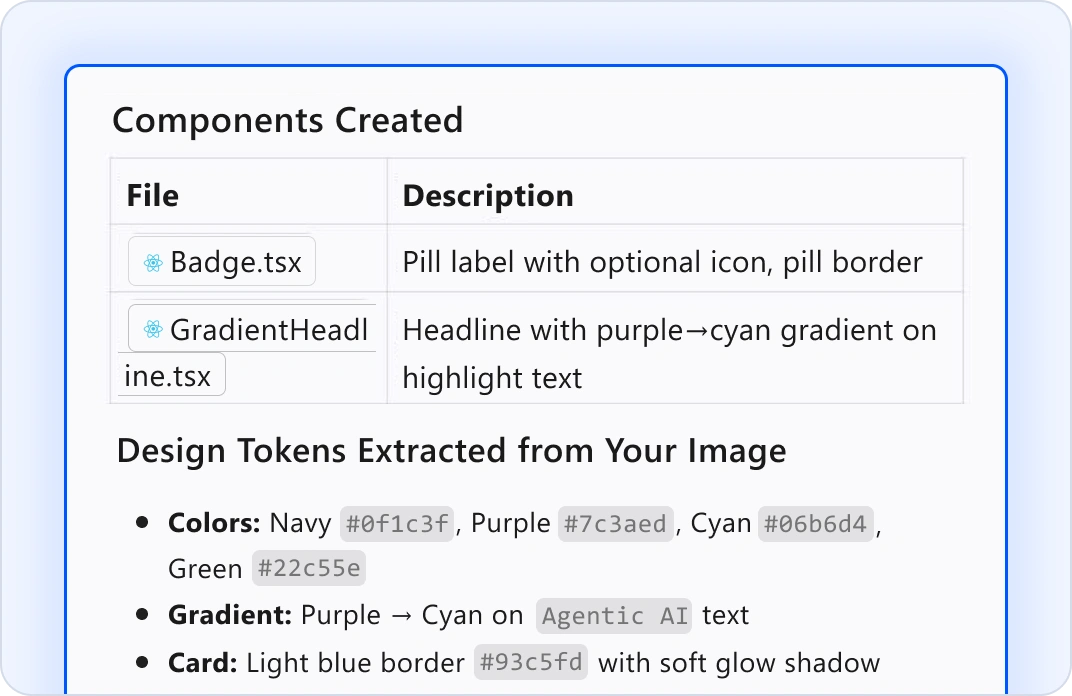
Design system
Design system consistency

Token-Aware Components

Include your design system in context. Agent mode generates components that follow your color palettes, typography, and spacing tokens automatically.
Animations
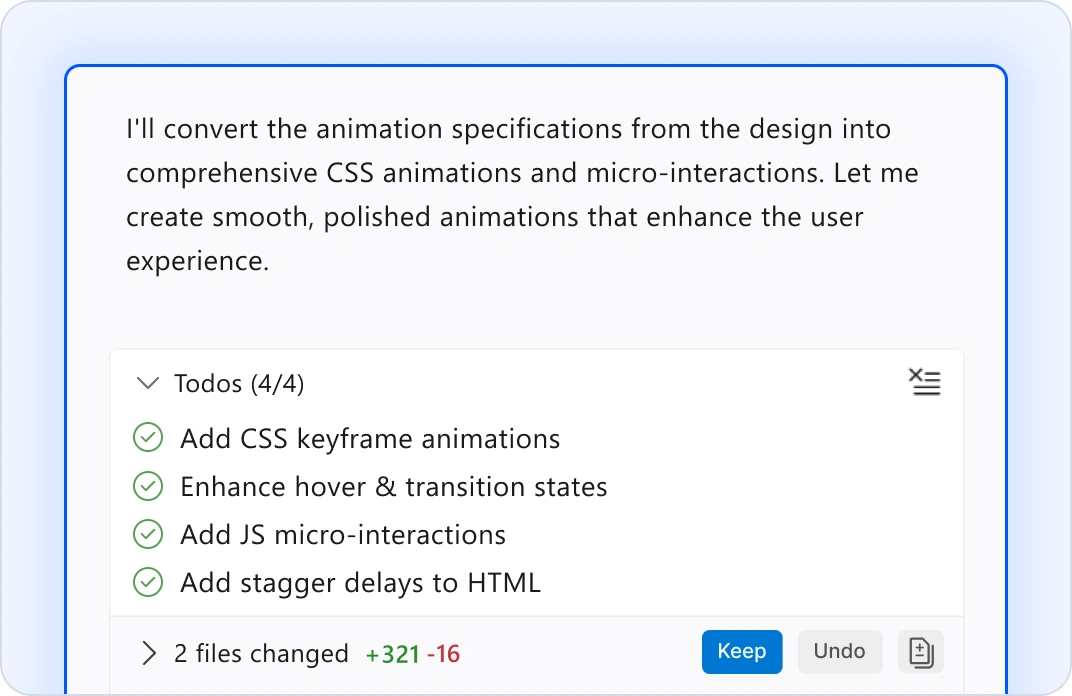
Animation & interaction code

Auto-Generate Smooth Interactions

Convert animation specs into CSS animations and interaction code. Agent will generate smooth transitions and micro-interactions that align with design intent.
Performance
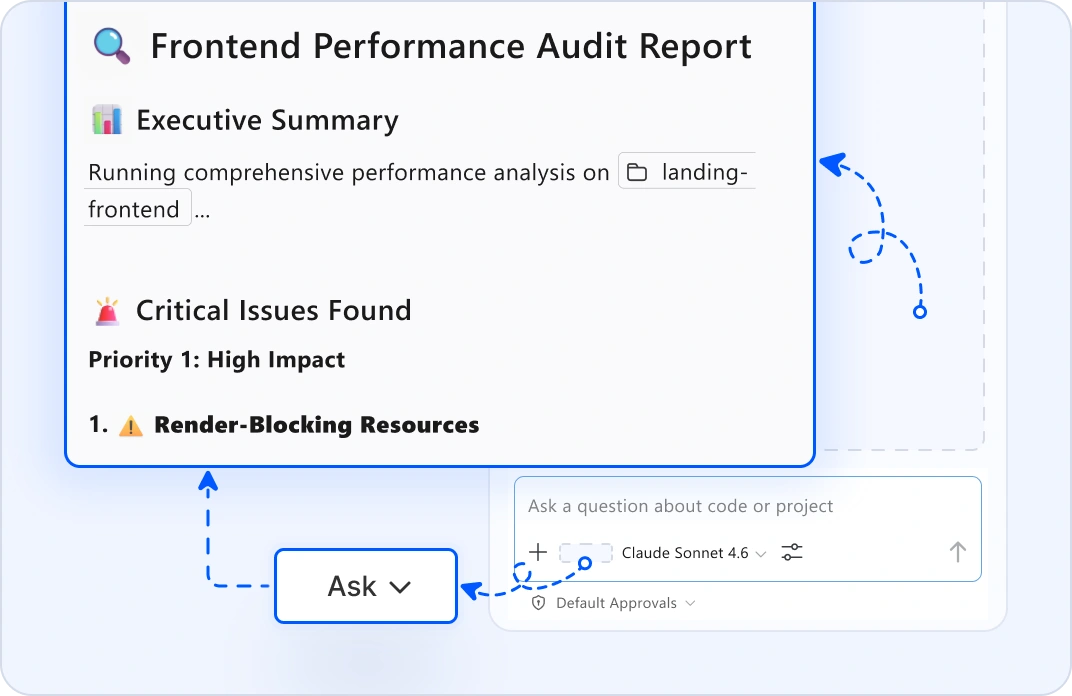
Performance audits

Identify Optimization Opportunities

Ask mode identifies rendering bottlenecks, bundle bloat, and optimization opportunities. Catch performance issues before they affect production.

Why Front-End Teams Choose BoldCreate?

Design to code in minutes

Upload Figma frames, get production markup.

Responsive automatically

Mobile, tablet, desktop breakpoints generated.

WCAG compliant from day one

Accessibility checks built into every component.

Component consistency

Design system rules enforced automatically.

Stay in control

Every generated component is reviewable and refinable.

GOT QUESTIONS?

Everything else front-end teams need to know about BoldCreate.

How does BoldCreate understand my design intent?
Edit mode analyzes mockups, Figma frames, or screenshots. It maps the visual layout, identifies components, and extracts design tokens such as colors, typography, spacing. Ask mode helps explain what's needed. The more context you provide, the better the output.
Can BoldCreate work with my design system?
Yes. Include your design system tokens, component library, and style guide in the context. Agent mode generates new components that follow your established patterns automatically. Every component respects your spacing scales, color palettes, and typography rules.
What if the generated code doesn't match my design perfectly?
You review it before applying it. Edit mode lets you refine colors, spacing, and layout inline. Use ask mode for specific adjustments, like "make the padding tighter" or "use a darker blue." You're always in control. The agent proposes but you decide.
Does this work with legacy front-end code?
Yes. Plan mode analyzes your existing pages and suggests refactoring paths. Edit mode helps modernize components incrementally. Ask mode explains what code does, so you understand it before changing it. You can modernize safely without big rewrites.
Is my design captured securely?
Your design files and mockups never leave your machine. BoldCreate doesn't use your designs to train models. All processing happens locally or through encrypted connections to your own LLM. Your design work remains completely private.
Can BoldCreate handle responsive design automatically?
Yes. Agent mode generates mobile, tablet, and desktop breakpoints with correct media queries. Ask mode audits responsive behavior across breakpoints. Edit mode suggests responsive improvements. Your layouts are mobile-first from day one.
What about accessibility like WCAG compliance?
BoldCreate scans for WCAG violations: missing alt-text, poor color contrast, nonsemantic markup, missing labels. Ask mode explains accessibility issues. Edit mode suggests fixes. Your components are accessible automatically.
How do I keep pages consistent across my site?
Store your design tokens and component patterns in a shared location and include them in the context. Agent mode generates new pages that follow the same patterns. Design system rules are enforced automatically across all generated code.
What if I'm using a front-end framework BoldCreate doesn't recognize?
BoldCreate supports React, Vue, Angular, and vanilla HTML/CSS. Define custom instructions in Markdown for your specific framework patterns, component structure, or build setup. Agent mode follows them automatically.
Can BoldCreate help with performance optimization?
Yes. Ask mode analyzes page-rendering performance, identifies layout thrashing, and suggests optimizations. Edit mode can refactor CSS for better performance. Plan mode flags performance risks before implementation.
Do I need a design tool integration to use BoldCreate?
No. Upload screenshots, paste Figma links, or describe the design in natural language. Edit mode works with all three. But integrations with Figma make design-to-code even faster with direct frame extraction.
Where do I get support?
The Syncfusion team is here for you. Email [email protected] or use the help panel inside BoldCreate. We respond fast because we know front-end work is deadline-driven.
What's the difference between edit mode and agent mode?
Edit mode is interactive, you describe changes and refine incrementally. Agent mode is autonomous, it runs multifile updates like refactoring or modernizing without constant guidance. Use edit mode for polish and refinement. Use agent mode for large-scale component updates.

Stop translating designs manually today

Turn mockups into code without the manual work.

ProvenScalableEnterprise-grade